
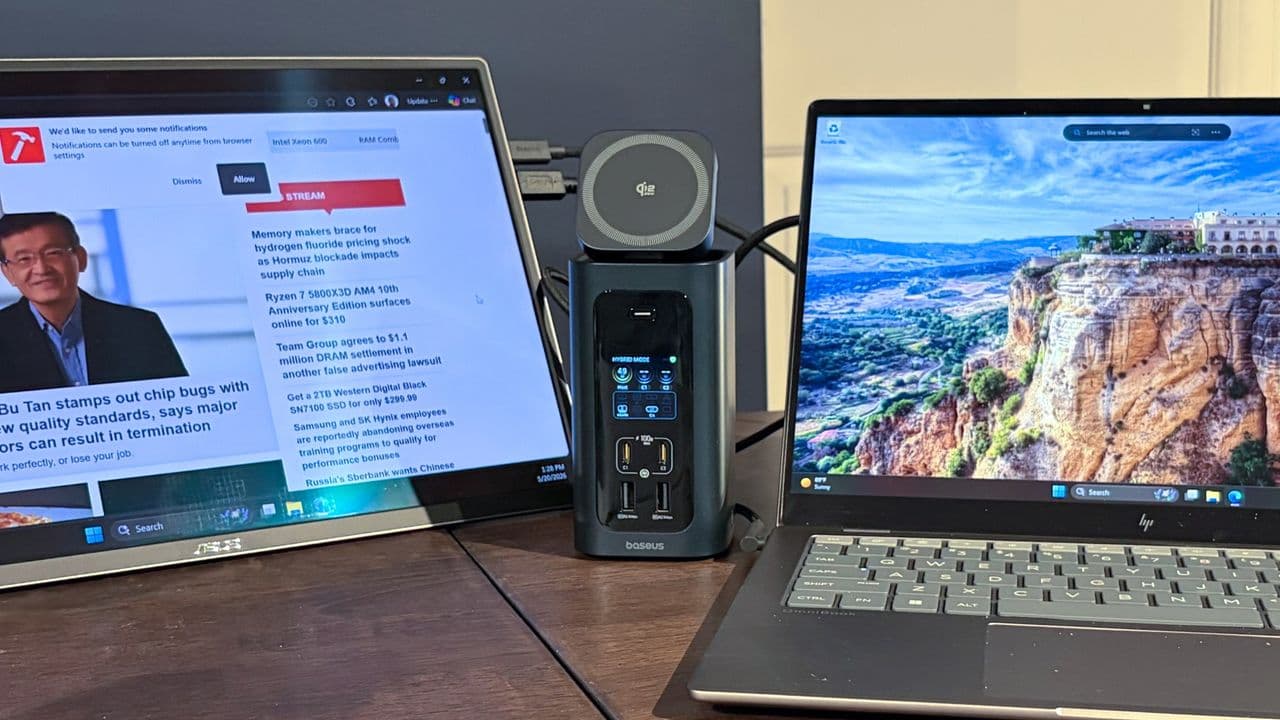
Why Your Next Docking Station Needs to Do More in 2026
The modern laptop is a marvel of minimalism — slim, powerful, and increasingly port-starved. Whether you're using an Apple MacBook Pro, a Dell XPS, a Lenovo ThinkPad, or any number of ultrabooks, chances are you're living with just a handful of USB-C or Thunderbolt ports and a constant sense that you need just one more connection. That's exactly where the best Thunderbolt and USB-C docks of 2026 step in, and this year's options are more capable than ever before.
From blazing-fast 140W power delivery that can charge even the hungriest pro laptops, to 10 Gigabit Ethernet for those who demand wired network speeds, to genuinely useful internal M.2 SSD expansion slots, the docking station market has evolved well beyond simple USB hubs. This guide breaks down what to look for, what features matter most, and which categories of docks stand out in 2026.
Understanding Thunderbolt vs. USB-C Docks: What's the Difference?
Before diving into specific features, it helps to understand the distinction between Thunderbolt docks and standard USB-C docks, because the two are not interchangeable despite using the same physical connector.
Thunderbolt 4 and the newer Thunderbolt 5 docks use Intel's proprietary protocol on top of the USB-C connector, delivering up to 40 Gbps (TB4) or 120 Gbps (TB5) of bandwidth. This makes them ideal for daisy-chaining multiple 4K or 8K monitors, high-speed external storage, and PCIe tunneling. USB-C docks, meanwhile, typically top out at USB 3.2 Gen 2 speeds of 10 Gbps or USB4 at 40 Gbps, depending on the spec.
For most users, a high-quality USB4 or Thunderbolt 4 dock is more than sufficient. Content creators, video editors, and power users handling large file transfers will want to look closely at Thunderbolt 5 options as those products become more widely available in 2026.
The Most Important Features to Look for in a 2026 Dock
140W Power Delivery: Finally Enough for Pro Laptops
For years, docking stations lagged behind on power delivery. Early USB-C docks could manage 60W or 85W — fine for lightweight ultrabooks, but frustrating for anyone running a 16-inch MacBook Pro or a high-performance Windows workstation laptop. In 2026, the best docks offer up to 140W of pass-through charging, which is the USB Power Delivery Extended Power Range (EPR) standard.
This means a single Thunderbolt or USB-C cable can simultaneously charge your laptop at full speed, drive multiple displays, and handle all your peripherals without any power compromise. Look for docks that explicitly list 140W PD output and are certified under the USB PD 3.1 EPR specification to ensure compatibility with your device.
10 Gigabit Ethernet: The Network Upgrade You Didn't Know You Needed
Gigabit Ethernet has been the standard for years, but as NAS devices, local media servers, and enterprise networks push faster speeds, 2.5GbE and 10GbE (10 Gigabit Ethernet) ports are becoming increasingly common on premium docks. If you regularly transfer large files to a NAS, work in a video production environment, or simply want the fastest possible local network connection, a dock with 10GbE built in is a compelling upgrade.
10GbE docks were once the exclusive domain of enterprise-grade hardware, but several consumer-facing docking stations now include 10GbE RJ45 ports without requiring a separate adapter. When combined with a 10GbE-capable router or switch, you can achieve real-world transfer speeds exceeding 1 GB/s over a wired connection — a dramatic improvement over standard gigabit networking.
Internal M.2 SSD Slots: Built-In Storage Expansion
Perhaps the most exciting development in recent docking station design is the inclusion of internal M.2 SSD bays. Select docks now feature one or two M.2 NVMe slots, allowing you to install your own SSD and have it appear as a permanently connected external drive whenever you're docked.
This is enormously practical for creative professionals who need fast scratch disks, backup volumes, or project storage that's always available at the desk. Because the SSD connects via the dock's Thunderbolt or USB4 link, transfer speeds can reach several GB/s — far faster than most external USB-A storage solutions. When shopping for a dock with M.2 slots, confirm whether it supports NVMe or SATA drives, and check the maximum supported capacity.
Other Features Worth Evaluating
Beyond the headline specs, a well-rounded docking station in 2026 should offer a thoughtful port selection. Look for a mix of USB-A 3.2 Gen 2 ports for legacy peripherals, additional USB-C ports for accessories and charging smartphones, full-size SD card readers at UHS-II speeds or faster, and DisplayPort or HDMI 2.1 outputs for direct monitor connections without adapters.
Build quality and thermal management also matter. Docks running multiple high-bandwidth connections, charging a laptop at 140W, and powering an internal SSD generate real heat. Better-designed products use aluminum enclosures and passive or active cooling to maintain performance without throttling.
Who Should Invest in a Premium Thunderbolt Dock?
If your workflow keeps you tethered to a desk for a significant portion of the day, a premium docking station is one of the best investments you can make in your productivity setup. The convenience of a single-cable connection that restores your entire workspace — monitors, network, peripherals, and charging — in one plug is difficult to overstate once you've experienced it.
Photographers, video editors, software developers, and remote professionals will find the most value in docks with 10GbE, M.2 storage, and 140W charging. Everyday users upgrading from a basic USB hub will appreciate the jump to even a mid-range Thunderbolt 4 dock with solid PD output and reliable display support.
Final Thoughts: Docking Stations Are Earning Their Keep in 2026
The best Thunderbolt and USB-C docks of 2026 represent a genuine generational leap. With 140W power delivery eliminating laptop charging compromises, 10GbE opening up network speeds that were once reserved for server rooms, and M.2 SSD slots transforming a dock into a workstation-grade storage hub, today's options offer something meaningful at every price tier. As laptops continue to shed ports in the name of thinness, the docking station has firmly cemented its place as an essential piece of modern desk setups — and the hardware has never been better equipped to prove it.