
Why Sideloading Android Apps Is Worth the Hassle
The Google Play Store is undeniably the most convenient way to discover, install, and manage Android apps. With millions of titles spanning every category imaginable, it caters to the vast majority of Android users without requiring much technical know-how. But if you've spent any real time exploring the broader Android ecosystem, you've probably noticed something important: some of the best apps out there simply aren't available on the Play Store.
Whether it's a privacy-focused tool, an open-source utility, a region-restricted application, or a niche productivity app maintained by an independent developer, these hidden gems often live on alternative app stores, GitHub repositories, or personal developer websites. Installing them is straightforward enough — you enable unknown sources, download the APK file, and tap to install. Simple. But then comes the part that nobody talks about enough: keeping those apps updated.
If you've built up a collection of sideloaded apps over time, you already know the frustration. There are no automatic update notifications, no centralized update button, and no dashboard that tells you which of your manually installed apps are running outdated versions. You're essentially left to figure it out on your own. That's the trade-off for venturing outside the walled garden of the Play Store — and until recently, it was a trade-off many users just silently accepted.
The Real Problem With Updating Sideloaded Apps
Let's break down why updating sideloaded Android apps is such a pain point in the first place. When you install an app from the Play Store, Google handles everything behind the scenes. It checks for new versions, downloads updates automatically or with a single tap, and even manages rollbacks if something goes wrong. You barely have to think about it.
With sideloaded apps, none of that infrastructure exists. Each app essentially lives in isolation on your device, detached from any update pipeline. Here's what the update process typically looks like without a dedicated solution:
- You have to remember which apps you installed manually and where you originally downloaded them from.
- You then need to visit each source individually — whether that's a GitHub releases page, an alternative app store, or a developer's website — to check if a newer version exists.
- If an update is available, you download the new APK file manually and install it over the existing version.
- Repeat this process for every single sideloaded app, every time an update is released.
For users with just one or two sideloaded apps, this might be manageable. But many power users rely on five, ten, or even more non-Play Store applications as part of their daily workflow. At that scale, manual updating becomes a genuinely time-consuming chore — and one that's easy to neglect, leaving your apps potentially exposed to security vulnerabilities or missing out on new features.
Where to Find Android Apps Outside the Play Store
Before exploring update solutions, it's worth understanding the main sources where sideloaded Android apps come from, since the right update method often depends on the source.
Alternative App Stores
Platforms like F-Droid, APKPure, and the Amazon Appstore host thousands of apps not available on Google Play. F-Droid, in particular, is a favorite among privacy enthusiasts because it focuses exclusively on free and open-source software. These stores typically come with their own update mechanisms, meaning apps installed through them can be updated directly within the store's interface — much like the Play Store experience.
GitHub and Open-Source Repositories
A large number of independent developers publish their Android apps directly on GitHub as APK releases. Apps like Obtainium, NewPipe, and many system-level utilities are distributed this way. The challenge is that GitHub doesn't send you push notifications when a new release drops, so staying current requires checking manually or using a third-party tool.
Developer Websites
Some developers host APK downloads directly on their own websites or blogs. This is common for apps that have been removed from the Play Store or that the developer prefers to distribute independently. Keeping track of these requires bookmarking each site and checking back periodically.
The Best Fix: Using Obtainium to Manage Sideloaded App Updates
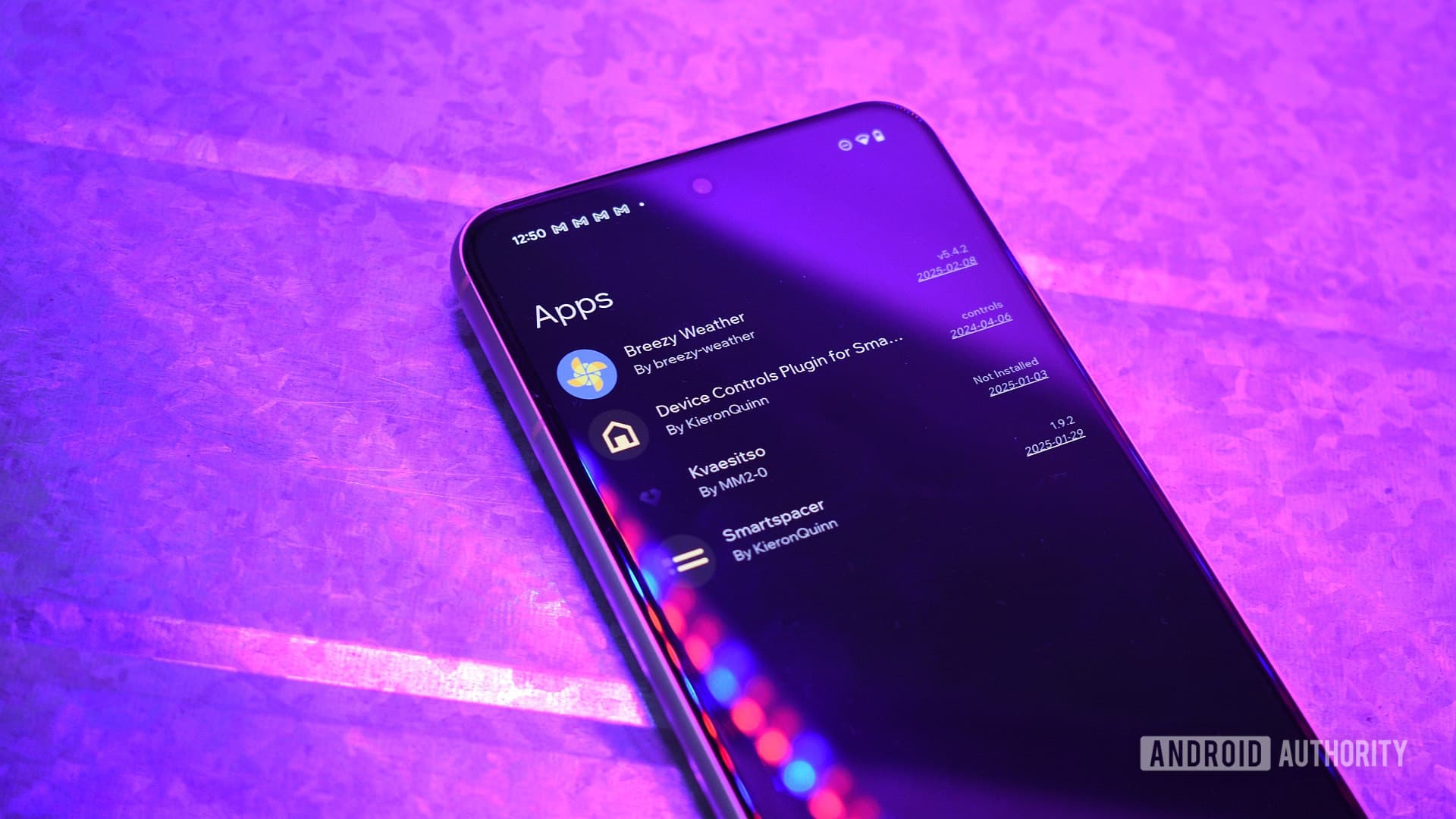
The most effective solution for managing updates to sideloaded Android apps is a tool called Obtainium. It's a free, open-source app that monitors your specified app sources and alerts you — or even automatically installs — updates whenever a new version becomes available. Think of it as a personal Play Store for all the apps Google doesn't host.
Setting it up is relatively simple. You add each sideloaded app to Obtainium by entering the URL of its source, whether that's a GitHub repository, an F-Droid listing, or another supported platform. Obtainium then periodically checks those sources for new releases and notifies you when updates are ready. With a single tap, you can install the latest version without hunting down the APK file yourself.
Why Obtainium Stands Out
- It supports a wide range of sources including GitHub, GitLab, F-Droid, APKPure, and many direct website URLs.
- It gives you granular control over each app, including version pinning and custom release filters.
- It's completely open-source and privacy-respecting, with no account required.
- The interface is clean and easy to navigate even for less technical users.
Additional Tips for Managing Sideloaded Apps Safely
Beyond finding an update manager, there are a few best practices worth following when you rely on sideloaded apps regularly.
Always verify the source of any APK file before installing it. Stick to trusted platforms like F-Droid or official developer repositories on GitHub, and avoid downloading APKs from random third-party websites that aggregate files without proper vetting. Malicious APKs are a real threat, and source verification is your first line of defense.
It's also a good idea to periodically audit your list of sideloaded apps. If you've stopped using something, uninstall it. Fewer installed apps mean fewer potential attack surfaces and a cleaner, more manageable device overall.
Finally, keep Android itself updated. System-level security patches from your device manufacturer help protect against vulnerabilities that could be exploited through any installed app, sideloaded or otherwise.
Final Thoughts
Sideloading Android apps opens up a world of powerful, privacy-focused, and genuinely useful software that Google's ecosystem simply doesn't offer. The update problem is real, but it's entirely solvable. With a tool like Obtainium in your corner and a few smart habits in place, you can enjoy the best of both worlds — the freedom of the open Android ecosystem without sacrificing the convenience of staying up to date. Once you set it up, you'll wonder how you ever managed without it.