
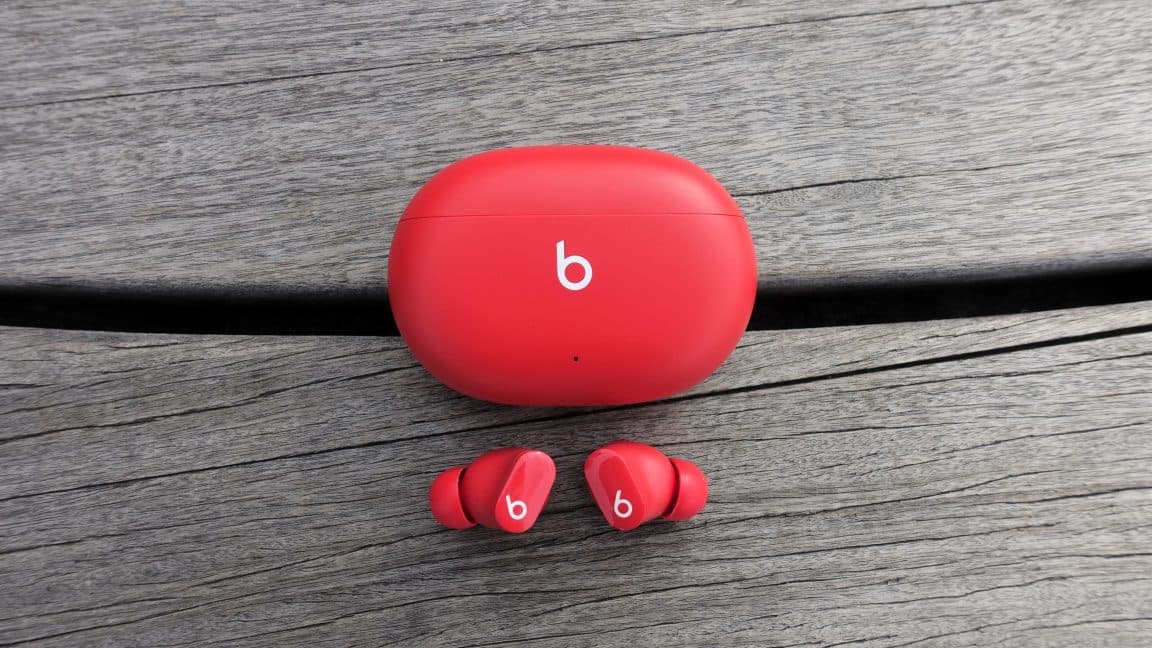
Apple Issues Emergency Firmware Patch for Beats Studio Buds Bluetooth Vulnerability
Apple has moved quickly to address a high-severity security flaw discovered in its popular Beats Studio Buds wireless earbuds. The vulnerability, officially tracked as CVE-2025-20701, exposed users to a potentially invasive form of attack in which nearby hackers could exploit a weakness in the earbuds' Bluetooth firmware to eavesdrop on private conversations. The fix has been rolled out through Beats Firmware Update 1B211, and Apple is urging all Beats Studio Buds users to verify that their devices have received it.
What Is CVE-2025-20701 and Why Does It Matter?
At the heart of this security issue is an improper authentication flaw embedded in the firmware responsible for managing Bluetooth operations on the Beats Studio Buds. Authentication flaws of this nature are particularly dangerous because they undermine the foundational trust model that wireless pairing relies upon.
In practice, CVE-2025-20701 allowed a threat actor within Bluetooth signal range to impersonate a device that had previously been paired with the earbuds. This is known as a Bluetooth impersonation attack, and it is more sophisticated than it might initially sound. By convincing the earbuds that the attacker's device is a trusted, previously paired source, the attacker could intercept the audio stream passing through the earbuds — including sounds picked up by the connected phone's microphone.
Security researchers demonstrated the vulnerability through a series of end-to-end attack scenarios. These were not theoretical exploits confined to a lab environment; the researchers showed that an attacker could realistically eavesdrop on conversations or ambient sounds captured by the microphone of the paired phone. In environments such as offices, cafés, or public transit — anywhere Bluetooth signals overlap — this represents a meaningful and credible threat to user privacy.
Apple's Official Security Advisory
In its published security advisory released on a Tuesday, Apple described the vulnerability's impact in clear terms: "An attacker within Bluetooth range may be able to listen through the microphone of a device which is not yet paired and actively seeking pair requests." This language highlights a particularly exposed moment in the Bluetooth lifecycle — the pairing window — during which devices are broadcasting their availability and are therefore more susceptible to interception or impersonation attempts.
The advisory confirms that the issue resided in the firmware running on the Bluetooth-related chips within the Beats Studio Buds, rather than in iOS, macOS, or any of Apple's core operating systems. This distinction matters from a patch delivery perspective, as firmware updates for accessories follow a different distribution path than standard software updates.
How the Patch Is Delivered: Beats Firmware Update 1B211
Apple has packaged the security fix inside Beats Firmware Update 1B211. Unlike traditional software updates that users must manually download and install, this firmware update is delivered automatically — but only under specific conditions. The update is pushed to the earbuds while they are actively paired with and within Bluetooth range of a user's iPhone, iPad, or Mac.
This automatic delivery mechanism is convenient but also means that users who have not recently connected their Beats Studio Buds to a compatible Apple device may not have received the patch yet. Anyone who stores their earbuds in a case for extended periods, travels frequently, or uses the earbuds primarily with non-Apple devices should take deliberate steps to trigger the update.
How to Check Your Beats Firmware Version
Apple has made it straightforward to verify whether your Beats Studio Buds are running the patched firmware. Follow these steps:
- Open the Settings app on your iPhone or iPad.
- Navigate to Bluetooth in the settings menu.
- Locate your Beats Studio Buds in the list of connected or previously paired devices.
- Tap the info (i) button next to the headphones.
- Check the firmware version displayed. You should be running 1B211 or later.
If your device shows an older firmware version, ensure that your Beats are paired and physically within Bluetooth range of your iPhone, iPad, or Mac, and then leave them connected for a period of time to allow the update to push through automatically.
The Broader Context: Bluetooth Security Under the Microscope
This vulnerability is far from an isolated incident. Bluetooth security has been a persistent area of concern for the cybersecurity community for years. Protocols like BLESA (Bluetooth Low Energy Spoofing Attack), BIAS (Bluetooth Impersonation AttackS), and various man-in-the-middle techniques have demonstrated time and again that the Bluetooth pairing and authentication process contains exploitable weaknesses across a wide range of manufacturers and device categories.
What makes CVE-2025-20701 particularly noteworthy is the target: premium consumer audio accessories from one of the world's most scrutinized technology companies. Apple has invested heavily in its reputation for security and privacy, which makes any vulnerability of this severity a significant talking point. It also underscores the reality that no ecosystem is immune to firmware-level flaws, especially in the expanding universe of connected accessories and Internet of Things devices.
Earbuds and headphones, in particular, represent an under-examined attack surface. Because they interact directly with microphones and audio streams, a successful exploit can yield highly sensitive data — from private business conversations to personal phone calls — without the victim ever realizing they have been compromised.
What Users Should Do Right Now
The recommended course of action is simple but important. Every Beats Studio Buds owner should verify their firmware version immediately using the steps outlined above. If the update has not yet been applied, connect the earbuds to an Apple device and allow them to remain connected so the patch can be delivered automatically.
Beyond this specific update, the incident serves as a timely reminder about the importance of keeping all connected devices — not just smartphones and computers — up to date. Firmware updates for accessories are easy to overlook because they happen in the background and rarely prompt user attention. Building a habit of periodically checking accessory firmware versions is a small but meaningful step toward maintaining a stronger personal security posture.
Final Thoughts
Apple's response to CVE-2025-20701 demonstrates the company's ability to move decisively when a credible security threat is identified. The automatic delivery of Beats Firmware Update 1B211 lowers the barrier for most users to receive the fix, though personal verification remains essential. As wireless audio devices become more deeply integrated into daily life and professional workflows, ensuring their firmware is current is no longer optional — it is a basic security hygiene practice every user should adopt.