
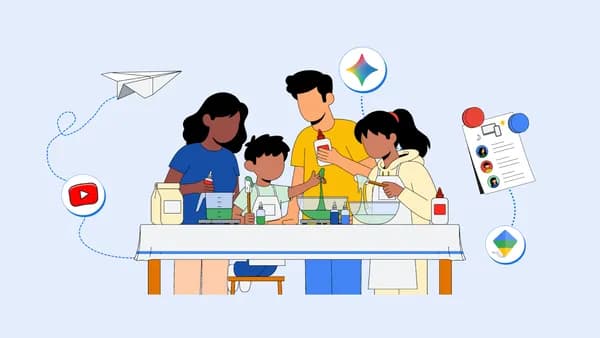
Why Screen Time Balance Matters More Than Ever This Summer
Summer is supposed to be a season of adventure, creativity, and freedom. But for many parents, it quickly becomes a daily negotiation over how much time kids spend staring at screens. With school out and routines disrupted, children naturally gravitate toward tablets, phones, and TVs to fill their hours. The challenge isn't eliminating screens entirely — that's both unrealistic and unnecessary — but rather learning how to balance screen time in a way that keeps kids genuinely engaged, curious, and growing.
The good news is that not all screen time is created equal. Passive scrolling is a very different experience from interactive learning or creative digital play. Google and YouTube have developed a suite of tools specifically designed to help families build healthy digital habits, turning screen time into something that adds real value to a child's summer — rather than simply eating it up.
Here are three practical, proven ways to strike that balance and make the most of your kids' summer screen time.
1. Set Intentional Screen Time Boundaries With Google Family Link
One of the most effective strategies for managing screen time isn't about willpower — it's about structure. When kids know what to expect, and when limits are clearly defined ahead of time, there's far less conflict. Google Family Link is a parental controls app that gives parents meaningful oversight without turning into a surveillance tool.
With Family Link, parents can set daily screen time limits on Android devices and Chromebooks, receive activity reports showing which apps their child uses most, and approve or block specific apps from the Google Play Store. Crucially, it also allows parents to remotely lock a device when it's time for dinner, outdoor play, or bedtime — removing the need for repeated reminders or arguments.
How to Make It Work This Summer
Rather than simply restricting screen time, use Family Link as a conversation starter. Sit down with your kids at the beginning of summer and co-create a daily schedule together. Decide which hours are screen-free (mornings outside, family meals, the hour before bed) and which hours are open for digital activities. When children feel involved in setting the rules, they're significantly more likely to respect them.
You can also use the app's approval features to introduce your child to new educational apps, creative tools, or age-appropriate games, making screen time feel like a reward rather than a default habit. Building this structure early in the summer pays dividends for months.
2. Turn YouTube Into a Creative Learning Platform
YouTube is often viewed as a screen time villain, but with intentional use it can be one of the most powerful educational tools available to children of any age. The platform hosts an extraordinary range of content — science experiments, art tutorials, coding lessons, cooking guides, history documentaries, and much more — all of it free and immediately accessible.
YouTube Kids, the dedicated child-safe version of the platform, uses filters and curated content to ensure younger children are only exposed to age-appropriate videos. Parents can customize the experience by setting content levels (Preschool, Younger, Older) and even manually approving every video or channel their child can access. The app also allows parents to disable search entirely, so children can only watch what has been pre-approved.
Ideas for Engaging Summer Learning on YouTube
Follow a project series: Many YouTube channels publish step-by-step craft, cooking, or science experiment series designed for kids. Challenge your child to complete one full series over the summer, gathering materials and documenting their progress.
Watch and do: Pair every YouTube tutorial with a real-world activity. If they watch a video about painting techniques, hand them a brush afterward. If they watch a baking video, make it together that afternoon. This bridges screen time with hands-on engagement.
Let them create their own: One of the most effective ways to make screen time active rather than passive is to encourage kids to make their own videos. Whether it's a short film, a book review, or a how-to tutorial about something they love, creating content builds communication skills, creativity, and digital literacy all at once.
3. Use Google Tools to Spark Curiosity and Independent Exploration
Google's wider ecosystem of free tools offers a remarkable playground for young minds willing to explore. Google Earth lets children virtually travel anywhere on the planet, exploring landscapes, oceans, and historical sites with stunning satellite imagery. Google Arts and Culture provides access to thousands of museums and exhibitions worldwide. Google Experiments hosts interactive, browser-based experiences rooted in science, music, and art.
These tools shift screen time from consumption to exploration — a meaningful distinction when it comes to developing a child's curiosity and sense of the world.
Building a Summer Learning Challenge
Consider creating a summer challenge around Google's tools. Each week, assign a different theme — ocean life, world architecture, space exploration, famous paintings — and challenge your child to spend 20 minutes exploring that topic using Google Earth, YouTube, or Google Arts and Culture. At the end of the week, have them share three things they discovered. This simple ritual builds research habits, critical thinking, and a love of learning that extends well beyond the summer.
Healthy Digital Habits Start With Intentional Choices
Balancing screen time isn't about declaring war on technology. It's about being deliberate. The difference between screen time that drains a child and screen time that energizes them often comes down to whether it's passive or active, structured or uncontrolled, solitary or shared. With tools like Google Family Link, YouTube Kids, and Google's suite of creative platforms, parents have everything they need to make this summer a season of genuine, joyful digital engagement — on their terms.
Start small. Pick one of the three strategies above and implement it this week. The habits you build now will carry your family through the rest of summer and beyond.