
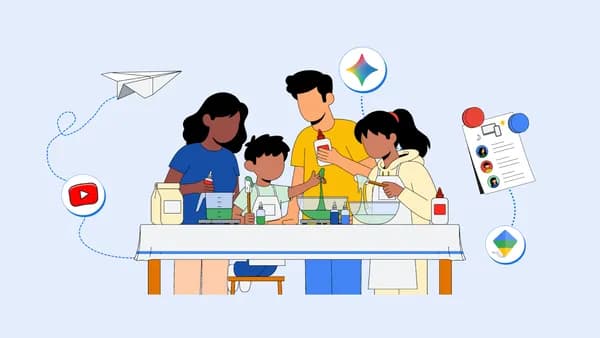
Why Screen Time Balance Matters More Than Ever This Summer
Summer break is supposed to be a time of freedom, fun, and exploration — but for most modern families, it quickly becomes a battleground over devices. With school structure gone and long sunny days stretching ahead, kids naturally gravitate toward screens. The challenge isn't eliminating screen time altogether; it's making it work smarter for your family. The good news is that tools from Google and YouTube are specifically designed to help parents strike that balance, turning passive scrolling into active, meaningful engagement.
Whether your child is six or sixteen, building healthy digital habits during summer can set a positive tone for the entire school year ahead. The key lies not in restriction alone, but in thoughtful redirection — and having the right tools to make that happen effortlessly.
1. Use Google's Family Tools to Set Boundaries That Actually Stick
One of the biggest frustrations parents face is setting screen time limits only to find workarounds, arguments, or tears at every boundary. Google's family-focused features are built to take the friction out of this process, giving parents control without turning every afternoon into a negotiation.
Google Family Link
Google Family Link is one of the most powerful free tools available to parents today. It allows you to manage your child's Google account directly from your own device, giving you visibility into what apps they're using, how much time they're spending on each one, and the ability to set daily screen time limits that automatically lock the device when the limit is reached.
What makes Family Link especially useful during summer is its flexibility. You can create different schedules for different days — allowing a little more device time on rainy afternoons and stricter limits on days when outdoor activities are planned. You can also approve or block app downloads remotely, so your child can't simply install a new game the moment their current one is restricted.
Setting Up Screen Time Goals Together
Rather than imposing limits from the top down, consider sitting down with your kids at the start of summer and co-creating the screen time rules. When children feel ownership over the boundaries, they're far more likely to respect them. Use Google Family Link's dashboard as a visual aid during this conversation — showing them exactly how time is tracked can make the concept feel fair and transparent rather than punitive.
2. Turn YouTube Into a Learning Platform, Not Just an Entertainment Hub
YouTube is often painted as the villain of excessive screen time, but that framing misses a huge opportunity. With over 800 million videos covering virtually every subject imaginable, YouTube can be one of the richest educational resources available to your child — if it's used with intention.
YouTube Kids for Younger Children
For children under twelve, YouTube Kids offers a walled-garden experience with curated, age-appropriate content across categories like science, arts and crafts, music, reading, and nature. Parents can filter content by age group, block specific channels or videos, and even create a fully custom experience by hand-picking approved content only. The app is ad-light and designed to minimize the rabbit-hole effect that keeps kids glued to their screens without purpose.
This summer, try creating themed viewing weeks with your younger kids. Spend one week exploring ocean life through nature documentaries, another week watching cooking tutorials and then actually making the recipes together. This bridges the gap between screen time and real-world activity in a way that feels exciting rather than educational.
YouTube Playlists for Older Kids and Teens
For older children, curated YouTube playlists can serve as a self-directed learning tool. Encourage them to pick a skill they want to develop over the summer — coding, drawing, photography, a new language, a musical instrument — and build a playlist of tutorial videos to work through progressively. This gives screen time a sense of purpose and momentum, and it builds a habit of self-motivated learning that will serve them well academically.
3. Blend Digital and Physical Activities for a Balanced Summer Routine
The most effective approach to screen time balance isn't purely digital restriction — it's integration. When online activities connect meaningfully to offline experiences, children naturally develop a healthier relationship with technology because they see it as a tool rather than an escape.
Use Google Arts and Culture for Creative Exploration
Google Arts and Culture is a free platform that gives families access to thousands of museums, artworks, historical artifacts, and interactive experiences from around the world. Use it as a springboard for offline creativity: explore a virtual art exhibit together, then set up a painting session at home inspired by what you saw. Read about an ancient civilization, then head to your local library to find books on the topic.
Google Maps and Real-World Adventure
Google Maps Street View and Google Earth can ignite a child's curiosity about the world beyond their neighborhood. Plan a "virtual tour" of a country they're interested in, then use that curiosity to drive a summer project — a scrapbook, a country-themed dinner, or a geography challenge. Screen time becomes the catalyst for real-world engagement rather than a substitute for it.
Building Lasting Digital Habits Beyond Summer
The goal of a balanced summer isn't just to survive the school holidays with your sanity intact — it's to help your children develop a healthy, self-aware relationship with technology that lasts well beyond Labor Day. By leveraging tools like Google Family Link, YouTube Kids, and Google Arts and Culture, parents can shift the conversation from "how much screen time" to "what kind of screen time."
Start small, be consistent, and celebrate the wins. When your child chooses to close a tablet and go outside, or asks to watch a tutorial so they can try something new, that's the healthy digital habit you've been building toward all summer long.