
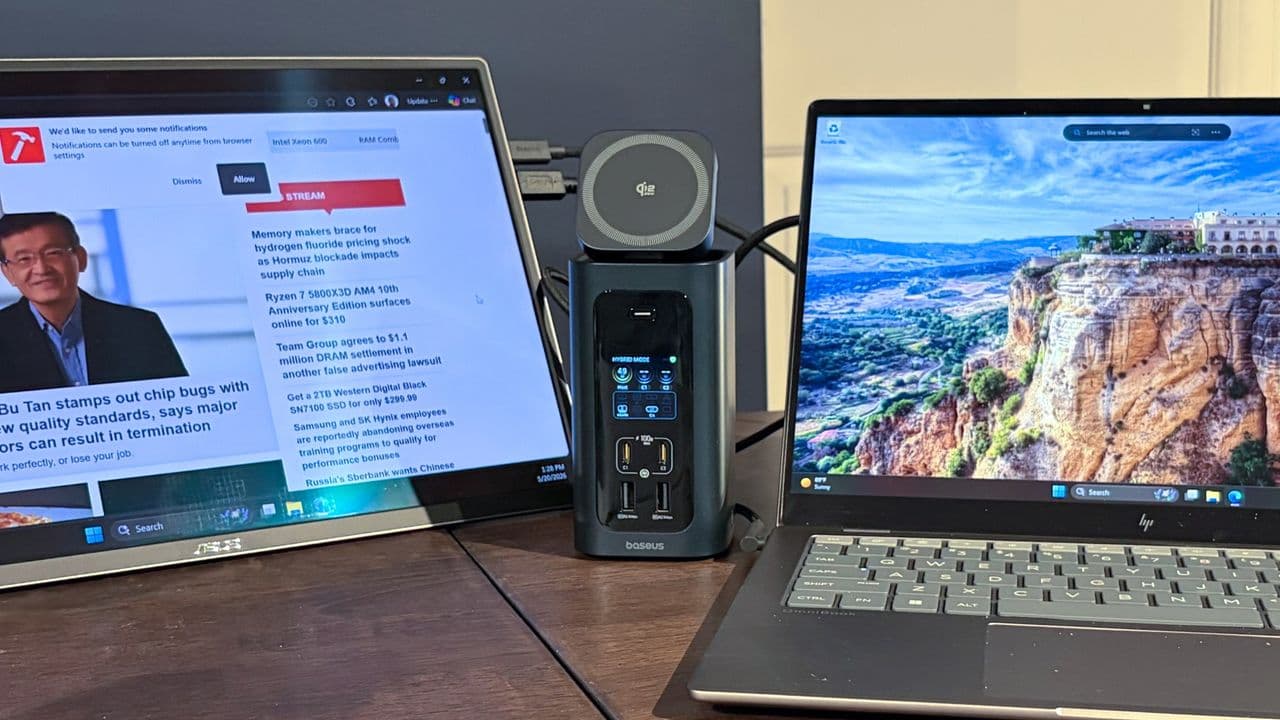
The Best Thunderbolt and USB-C Docks in 2026
Whether you are a creative professional, a remote worker, or simply someone who wants to transform a slim laptop into a full-featured desktop workstation, a high-quality Thunderbolt or USB-C dock has never been more essential. In 2026, the market has matured dramatically. Docks now ship with up to 140W of pass-through power delivery, blazing-fast 10 Gigabit Ethernet ports, and even internal M.2 SSD slots that let you expand your storage without cracking open your laptop. This guide walks you through everything you need to know to choose the right dock for your needs.
Why a Thunderbolt or USB-C Dock Is Worth the Investment
Modern laptops are undeniably powerful, but they come with a trade-off: fewer ports. Apple's MacBook Pro lineup, Dell's XPS series, and Lenovo's ThinkPad X1 Carbon all rely heavily on Thunderbolt and USB-C connectivity. A single cable from your laptop to a quality dock can unlock multiple displays, wired networking, USB-A legacy ports, SD card readers, and high-wattage charging simultaneously.
The difference between a budget USB-C hub and a premium Thunderbolt dock is significant. Thunderbolt 4 and Thunderbolt 5 docks offer certified, guaranteed bandwidth — up to 40 Gbps and 120 Gbps respectively — which means you can run dual 4K or even 8K monitors without lag, transfer large video files in seconds, and charge demanding laptops like the MacBook Pro 16-inch or a high-end Windows gaming laptop without compromise.
Key Features to Look for in a 2026 Dock
Power Delivery: Up to 140W
One of the most important specs to evaluate is the dock's power delivery capability. The USB Power Delivery 3.1 specification allows for up to 240W, but most laptop docks in 2026 cap at 140W, which covers virtually every laptop on the market — including power-hungry 16-inch MacBook Pros and gaming laptops. When shopping, look for docks that advertise at least 90W to 100W of host charging if you use a performance laptop, and 140W if you want true future-proofing. Avoid docks that only offer 60W or 65W if your machine has a dedicated GPU or a large battery.
10 Gigabit Ethernet for Power Users
Standard Gigabit Ethernet (1 GbE) was the gold standard for wired networking just a few years ago, but as NAS devices, network-attached storage, and high-speed internet plans become more common, 10 Gigabit Ethernet (10 GbE) is quickly becoming a must-have feature in premium docks. A dock with a 10 GbE port allows you to fully saturate fast local networks, transfer massive video libraries between your NAS and laptop at wire speed, and take full advantage of multi-gigabit internet services. In 2026, several flagship docks from manufacturers like CalDigit, OWC, and Belkin include 10 GbE as a standard feature rather than a premium add-on.
Internal M.2 SSD Slots
Perhaps the most exciting feature to emerge in the latest generation of docks is the inclusion of internal M.2 SSD slots. Rather than attaching a bulky external SSD to a port on your dock, some premium models now allow you to install a standard M.2 NVMe or SATA drive directly inside the dock's chassis. This keeps your desk clean, eliminates dangling cables, and gives you a fast, always-connected drive that appears on your desktop the moment you plug in the dock. For video editors, photographers, and developers who work with large local datasets, this is a genuinely transformative feature.
Thunderbolt 5 vs. Thunderbolt 4 vs. USB4: Which Do You Need?
Not all docks use the same underlying protocol, and the difference matters. Thunderbolt 5, introduced alongside Intel's latest laptop platforms, offers up to 120 Gbps of bandwidth — three times that of Thunderbolt 4. This makes it the go-to choice for anyone running multiple high-resolution displays or connecting extremely fast external storage. However, Thunderbolt 5 docks require a host laptop with a Thunderbolt 5 port, so they are not backward-compatible in the same seamless way older docks were.
Thunderbolt 4 docks remain the most universally compatible option in 2026. They work with Thunderbolt 3, Thunderbolt 4, and USB4 laptops and still deliver excellent performance for most professional workflows. USB4 docks — which use the same physical connector — are often more affordable and offer a good middle ground for users who do not need Intel's full certified Thunderbolt ecosystem.
Top Considerations When Comparing Docks
- Port count and variety: Look for a mix of USB-A, USB-C, Thunderbolt downstream ports, SD and microSD card slots, and 3.5mm audio jacks to cover all your peripherals without needing additional hubs.
- Display support: Confirm how many monitors the dock supports and at what resolution. Thunderbolt 5 docks can drive dual 8K displays; Thunderbolt 4 docks typically handle dual 4K at 60Hz.
- Build quality and thermal management: Premium docks run warm under heavy load. Aluminum enclosures and passive or active cooling designs keep temperatures in check and protect both the dock and your laptop.
- Firmware update support: The best manufacturers release firmware updates to address compatibility issues as new laptops and operating systems are released. This extends the useful life of your dock significantly.
- Warranty and support: Look for at least a two-year warranty, and verify that the manufacturer has responsive customer support — especially if you are relying on the dock for professional work.
Who Should Buy a Premium Dock?
Premium Thunderbolt docks are aimed squarely at professionals who depend on their laptops for intensive workloads. Video editors who need to move huge files between their laptop and external storage will benefit enormously from a dock with 10 GbE and an M.2 SSD slot. Developers who run virtual machines or containerized environments will appreciate the clean, reliable single-cable setup that a certified Thunderbolt dock provides. Even knowledge workers who simply want two large monitors, a wired keyboard and mouse, and reliable charging will find that a quality dock makes their daily experience noticeably smoother and more productive.
The Bottom Line
The Thunderbolt and USB-C dock market in 2026 is richer and more capable than it has ever been. With features like 140W power delivery, 10 Gigabit Ethernet, and internal M.2 SSD slots moving from rare luxuries to available standards, there has never been a better time to invest in a dock that truly matches the performance of your laptop. Take stock of your actual workflow needs — the displays you use, the peripherals you rely on, the storage demands you face — and match those requirements to the specifications outlined above. The right dock will pay for itself many times over in productivity, convenience, and the simple satisfaction of a clean, powerful desk setup.