
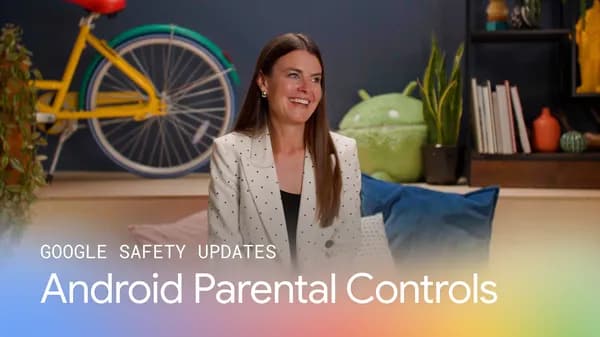
Google Expands Android Parental Controls to Empower Families Worldwide
In an era where children are growing up with smartphones in their hands almost from birth, digital safety has become one of the most pressing concerns for parents across the globe. Google has responded to this challenge by announcing a significant expansion of Android parental controls, rolling out new tools and features designed to give families greater visibility, flexibility, and peace of mind when it comes to their children's digital lives. Whether you're a parent of a toddler just discovering YouTube Kids or a teenager navigating social media for the first time, these updates aim to make the Android ecosystem a safer, more manageable space for every family.
Why Parental Controls on Android Matter More Than Ever
The average child now spends several hours per day on a mobile device, and that number has only increased in the wake of widespread remote learning and digital-first entertainment. For parents, keeping tabs on what their children are accessing, how long they're using their devices, and who they're communicating with has never been more important — or more complicated. Android's parental control ecosystem, anchored by the Family Link app, has long provided foundational tools for families, but the latest round of expansions takes things to a whole new level.
These new controls are designed not just for tech-savvy parents in developed markets, but for families all around the world, including regions where smartphones serve as the primary gateway to the internet. By broadening access and improving usability, Google is making it easier than ever for any parent — regardless of their technical background — to set meaningful boundaries for their children online.
What's New in Android's Expanded Parental Controls
Google's latest updates bring a suite of meaningful improvements to the Android parental control experience. These enhancements touch everything from app management and screen time scheduling to location sharing and content filtering. Here's a closer look at what's changing:
Enhanced Screen Time Management
One of the most requested features from parents has always been more granular control over screen time. The updated Android parental controls introduce improved daily time limits, allowing parents to set specific usage windows for individual apps rather than just blanket device-wide restrictions. This means a parent can allow two hours of educational app usage while simultaneously limiting social media to thirty minutes per day — all from a single, intuitive dashboard.
Improved App Approval Workflows
With the new controls, parents receive instant notifications whenever their child attempts to download or purchase an app from the Google Play Store. The approval process has been streamlined so that parents can approve or deny requests with a single tap, even when they're not in the same room — or the same city. This ensures that children aren't inadvertently downloading apps that are age-inappropriate or potentially unsafe.
Broader Geographic Availability
A key pillar of this expansion is accessibility. Google has emphasized that these parental control features are being rolled out to support families around the world, with improved localization and language support for regions that were previously underserved. This is a significant step toward ensuring that digital safety tools are not a luxury reserved for users in a handful of countries, but a universal resource available to every family using an Android device.
Safer Content Filtering
Updated content filters now apply more intelligently across browsers, apps, and media services. Parents can configure SafeSearch settings, restrict explicit content across Google services, and even manage YouTube content preferences — all from a centralized parental controls hub. These filters are regularly updated to stay ahead of emerging content trends and ensure that protections remain effective over time.
How to Set Up Android Parental Controls for Your Family
Getting started with Android's parental controls is straightforward, even if you're not particularly tech-savvy. Here's a quick overview of the steps involved:
- Download the Google Family Link app on both the parent's and child's Android device.
- Create or link your child's Google account through the app, following the guided setup process.
- Configure screen time limits, app permissions, and content filters according to your family's needs.
- Enable location sharing so you can see your child's device location directly within Family Link.
- Review weekly activity reports to stay informed about your child's app usage and online habits.
Once set up, Family Link runs quietly in the background, enforcing the rules you've established without requiring constant manual intervention. Parents can make adjustments at any time, and children can send requests for additional screen time or app approvals directly through the app.
The Bigger Picture: Google's Commitment to Family Safety
This expansion of Android parental controls is part of a broader, long-term commitment from Google to make its platforms safer for younger users. Alongside these Android updates, Google has invested heavily in child-safe experiences across YouTube, Google Search, and the Play Store. The company has also collaborated with child safety organizations and policymakers to ensure that its tools align with best practices and regulatory requirements in markets around the world.
For parents, this momentum is genuinely encouraging. It signals that one of the world's most influential technology companies understands the weight of responsibility that comes with building products used by millions of children every day.
Final Thoughts: A Safer Digital Future for Kids on Android
The expansion of Android parental controls represents a meaningful step forward for families navigating the complexities of raising children in a hyper-connected world. With more powerful tools, broader global availability, and an interface that prioritizes ease of use, Google is making it easier than ever for parents to stay engaged and in control of their children's digital experiences. If you haven't explored Family Link or the latest parental control features on your Android device, now is the perfect time to do so — your family's digital wellbeing is worth it.