
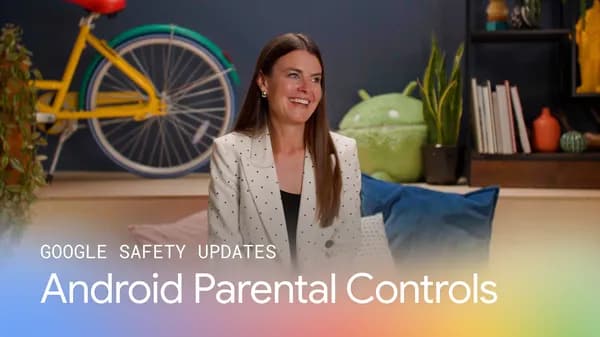
Google Expands Android Parental Controls to Better Protect Families Worldwide
As smartphones become an increasingly central part of daily life for children of all ages, the need for robust, easy-to-use digital safety tools has never been greater. Google has answered that call with a significant expansion of Android parental controls, introducing new features and improvements designed to help parents and guardians around the world take a more active and informed role in their children's digital experiences. Whether your child is just getting their first device or is a seasoned teen navigating the internet independently, these updates offer meaningful tools to keep families safe and connected.
Why Parental Controls Matter More Than Ever
Children today are growing up in a world saturated with digital content. From educational apps and social platforms to gaming and video streaming, the range of content accessible from a single Android device is virtually limitless. While much of this content is enriching and age-appropriate, parents consistently cite concerns about exposure to harmful material, excessive screen time, and in-app purchases made without permission.
Studies from child development researchers and digital wellness organizations have repeatedly highlighted the correlation between unmanaged screen time and challenges like disrupted sleep, reduced attention spans, and increased anxiety in young people. This makes parental oversight tools not just convenient, but genuinely important for healthy child development. Google's expanded Android parental controls represent a direct response to these concerns, offering parents a more comprehensive and flexible suite of options to set meaningful digital boundaries.
What's New in Android's Expanded Parental Controls
Google's latest updates to Android parental controls build on the existing foundation of Family Link, the company's dedicated parental oversight platform. The new expansion introduces enhancements across several key areas, making the system more powerful, more intuitive, and more globally accessible than ever before.
Improved Screen Time Management
One of the most requested features from parents has always been more granular control over how much time their children spend on specific apps or app categories. The updated Android parental controls now offer more detailed screen time dashboards, allowing parents to set daily limits not just on total device usage but on individual applications. Parents can schedule downtime windows — such as during school hours or at bedtime — during which access to entertainment apps is automatically restricted while educational or essential tools remain available.
Expanded App and Content Filtering
Google has also enhanced content filtering options within the parental controls system. Parents can now more precisely manage which apps their children can download from the Google Play Store, with improved age-based content ratings and the ability to require parental approval for any new app installation. This ensures that children cannot independently access content that falls outside the boundaries their parents have established, regardless of what their peers may be using.
In addition to app filtering, content controls now extend more deeply into Google's own services, including Google Search and YouTube. Families can enable SafeSearch and YouTube's restricted mode directly through the parental controls dashboard, creating a more seamless and consistent safety layer across the Android ecosystem.
Location Sharing and Check-Ins
For parents of older children and teenagers, knowing where their child is at any given moment provides significant peace of mind. The expanded Android parental controls include improved real-time location sharing features, allowing parents to view their child's current location directly from the Family Link app. Emergency check-in alerts and low battery notifications ensure that parents stay informed even when their child is on the go.
Global Accessibility and Language Support
A particularly notable aspect of this expansion is Google's commitment to making these tools available to families around the world. The updated parental controls now support a broader range of languages and regional settings, ensuring that parents in non-English-speaking countries can access the full suite of features in their native language. This global approach reflects Google's understanding that digital safety is a universal concern, not one limited to certain markets or demographics.
How to Set Up Android Parental Controls
Getting started with Android's parental controls is straightforward. Parents need to download the Google Family Link app on their own device and create a supervised account for their child. From there, the setup wizard guides you through linking devices, setting screen time limits, enabling content filters, and configuring location sharing. The entire process typically takes less than fifteen minutes and does not require any advanced technical knowledge.
For existing Family Link users, the new features will roll out automatically through app updates. Google recommends reviewing your current settings after the update to take full advantage of the expanded options now available.
Balancing Safety with Trust and Independence
While parental controls are a powerful tool, child development experts consistently emphasize that technology boundaries work best when combined with open conversation. Setting up controls is a valuable first step, but discussing the reasons behind the limits you set — and gradually relaxing them as your child demonstrates responsible digital behavior — helps build lasting trust and equips children with the judgment they'll need as they grow into independent digital citizens.
Google's design philosophy for these tools seems to reflect that balance. The controls are robust enough to provide real protection for younger children while remaining flexible enough to scale with the growing independence needs of teenagers.
A Stronger Digital Future for Families
Google's expanded Android parental controls signal a meaningful commitment to supporting families in the digital age. By making these tools more powerful, more accessible, and easier to use, Google is helping parents around the world feel more confident about the role technology plays in their children's lives. As these features continue to evolve, families can look forward to an Android ecosystem that genuinely puts their safety and wellbeing at the center of the experience.
If you haven't already explored what Android's parental controls have to offer, now is an ideal time to take a closer look. Your family's digital safety is worth the investment of a few minutes of setup — and the peace of mind that follows is invaluable.