
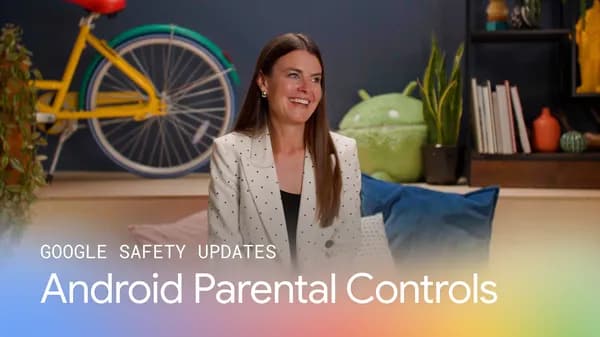
Google Expands Android Parental Controls to Keep Families Safer Online
In an increasingly connected world, keeping children safe online has become one of the most pressing concerns for parents everywhere. Google recognizes this challenge and is stepping up in a meaningful way. The tech giant has announced a significant expansion of Android parental controls, introducing new features and improvements designed to give families around the world greater peace of mind when their children pick up a smartphone or tablet.
Whether you are a parent trying to limit your child's screen time before bed, a guardian hoping to block inappropriate content, or a caregiver looking to understand how a teenager spends time online, these expanded tools aim to put more control directly into your hands. Let's take a deep dive into what Google's latest updates mean for families and why these changes matter now more than ever.
Why Parental Controls on Android Matter More Than Ever
Children are getting their first smartphones younger and younger. Studies consistently show that kids between the ages of 8 and 12 spend an average of four to six hours per day on screens, while teenagers often exceed that figure. With exposure to social media, gaming, streaming platforms, and the broader internet starting so early in life, parents are understandably anxious about what their children encounter in digital spaces.
Android is the world's most widely used mobile operating system, powering billions of devices across every continent. That reach makes it a uniquely powerful platform for delivering family safety tools at scale. When Google improves its parental controls, the positive impact ripples out across an enormous global audience — including families in regions where dedicated child-safety apps or expensive third-party solutions are simply not accessible or affordable.
What's New in Google's Expanded Android Parental Controls
Google's latest expansion builds on the foundation of its existing Family Link service, which has allowed parents to manage their children's Google accounts and Android devices for several years. The new updates go further, adding layers of functionality that reflect how children actually use technology today.
Enhanced Screen Time Management
One of the most requested features from parents has always been better screen time management, and Google is delivering. The updated controls allow parents to set daily usage limits on individual apps, not just across the device as a whole. This means a child can still use an educational app for homework after their social media time has run out, giving parents a more nuanced and practical way to manage digital habits without creating unnecessary friction around legitimate learning activities.
Parents can also schedule "downtime" periods — blocks of hours during which only pre-approved apps remain accessible. This is particularly useful for enforcing device-free bedtimes or focused study sessions during the school week.
Improved Content Filtering
Content filtering has also received a significant upgrade. Google's expanded controls now provide more granular options for filtering web content, app downloads, and even search results. Parents can prevent children from downloading apps above a certain age rating through the Google Play Store, and they can restrict access to explicit websites at the browser level.
The system also improves transparency by giving parents clearer, more readable reports on exactly what their child has been searching for and which apps they use most frequently. These insights empower parents to have informed, constructive conversations with their kids about digital behavior rather than simply restricting access blindly.
Location Sharing and Check-In Features
Safety goes beyond what happens on a screen. Google's expanded parental controls include improved location-sharing features, allowing parents to see their child's real-time location directly from their own Android device or through the Family Link app. Alongside this, new check-in capabilities let children send a quick notification to a parent when they arrive at a destination, helping families stay connected without requiring constant communication.
Supervised Google Accounts for Teens
Recognizing that teenagers require a different approach than younger children, Google is also expanding its supervised account options for teens. Rather than applying the same rigid restrictions used for younger kids, supervised teen accounts offer a more balanced experience — one that grants increasing independence while still giving parents visibility and the ability to step in when necessary. This graduated approach aligns with the developmental reality that trust and digital autonomy should grow alongside a child's maturity.
A Global Approach to Family Safety
What makes this expansion particularly notable is its global ambition. Google is rolling out these features with support for multiple languages and regional configurations, ensuring that families in non-English-speaking countries can access the same level of protection and control. In many parts of the world, Android is the primary — and sometimes only — way families access the internet. Making robust parental controls a core part of that experience, rather than an optional add-on, reflects a genuine commitment to digital wellbeing on a worldwide scale.
How to Get Started with Android Parental Controls
Setting up parental controls on Android is straightforward. Parents can begin by downloading or updating the Google Family Link app on their own device, then following the guided setup process to link their child's Android device to their account. From there, all the new features are accessible from a single, easy-to-navigate dashboard.
Google recommends having an open conversation with your child about why these controls are being set up, framing them as tools for building healthy habits rather than instruments of surveillance. Research consistently shows that children respond better to digital boundaries when they understand the reasoning behind them.
The Bottom Line
Google's expanded Android parental controls represent a meaningful step forward in the ongoing effort to make the internet a safer, healthier space for children and families. By offering more precise screen time management, improved content filtering, smarter location tools, and age-appropriate options for teenagers, Android is evolving into a platform that genuinely supports the complex, real-world needs of modern families. For parents looking to take a more active role in their child's digital life, now is an excellent time to explore what these updated tools have to offer.